Business Management App for Wedding & Beauty Freelancers
A mobile application concept designed to help freelancers manage bookings, clients, and business operations in one place.
1. Overview
Freelancers in the wedding and beauty industry often manage appointments, clients, files, travel, and personal schedules across multiple applications. Existing solutions are primarily designed for salons or larger businesses, making them unnecessarily complex for independent professionals.
BeeThere is an MVP concept of a mobile application designed to simplify everyday business management by bringing the most important tools into one intuitive mobile experience.
Role
Research · UX/UI Design · Branding
Duration
11 weeks
Method
Design thinking
Tools
Figma · Miro · Dovetail
2. Research
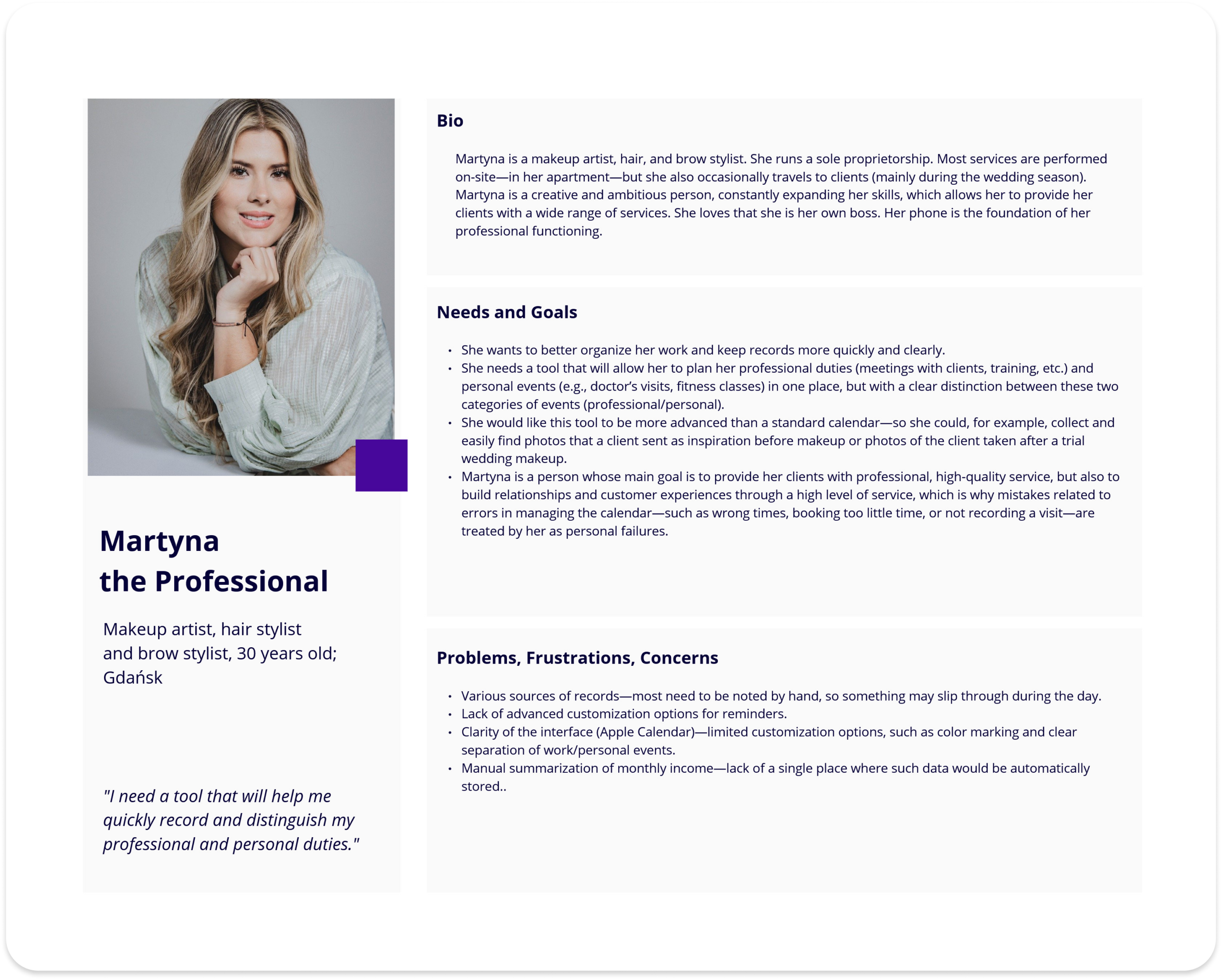
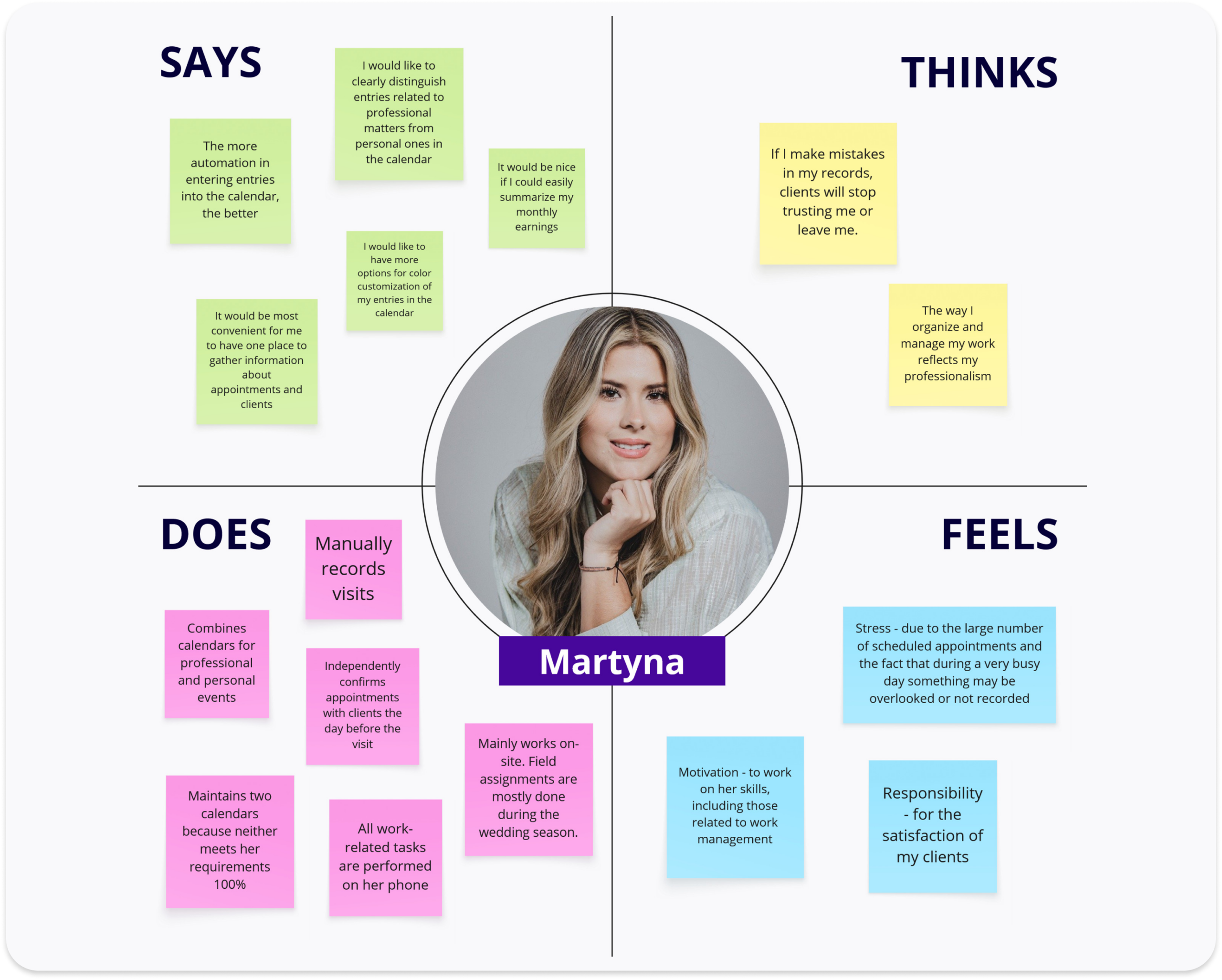
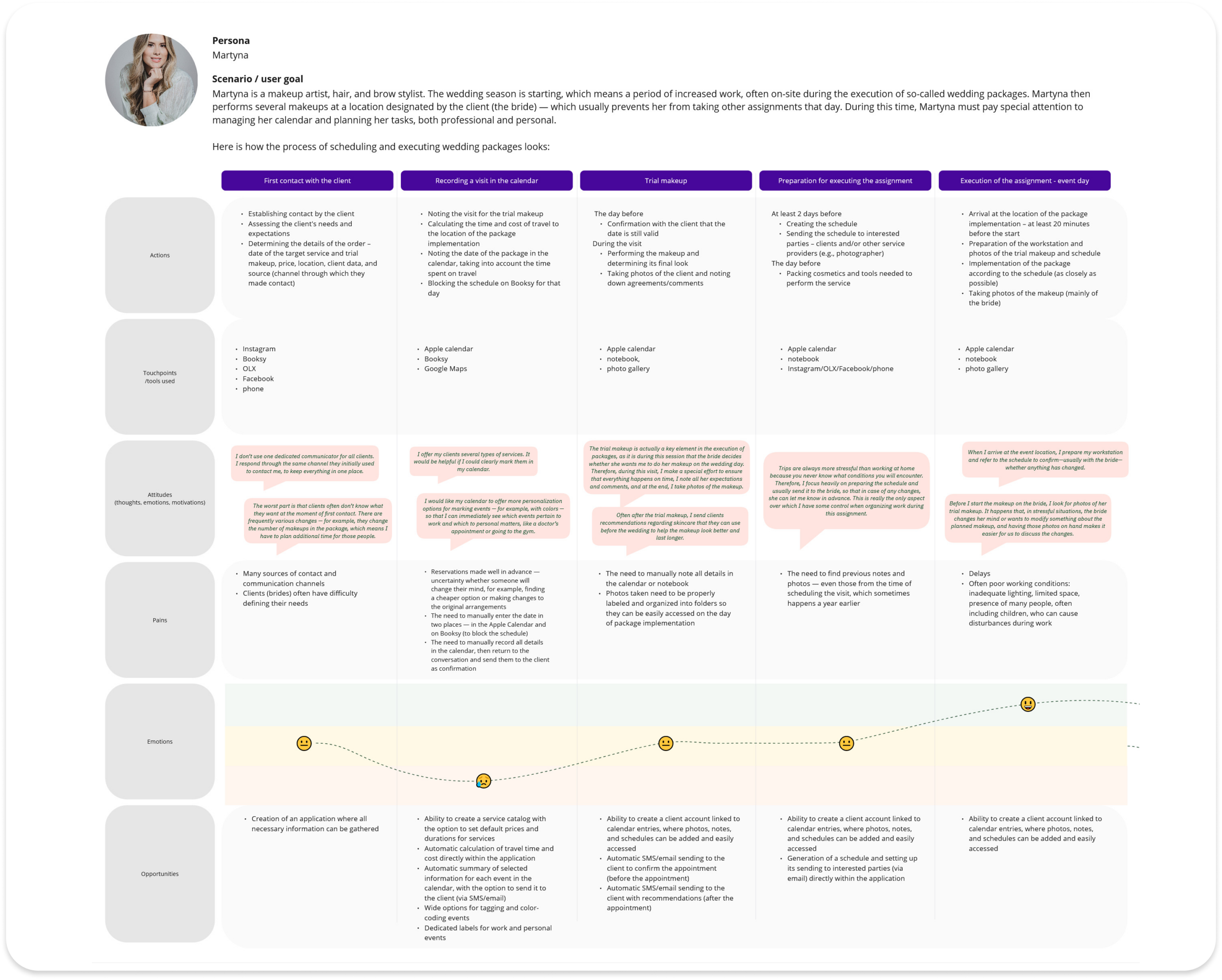
To understand freelancers’ workflows, I conducted desk research, a competitive analysis, and three in-depth interviews. To organize the findings, I synthesized the data into an empathy map, an affinity map, and a user persona.
The research revealed three major challenges:
Existing solutions are built for teams rather than solo professionals.
Everyday work is fragmented across multiple tools.
Smartphones are freelancers’ primary work device.
These insights defined both the product strategy and the MVP scope.
3. Solution
The objective was to minimize unnecessary steps while supporting freelancers throughout their daily workflow.
The MVP focused on the features users needed most:
Calendar
Client database
Service catalog
File attachments
Travel time management
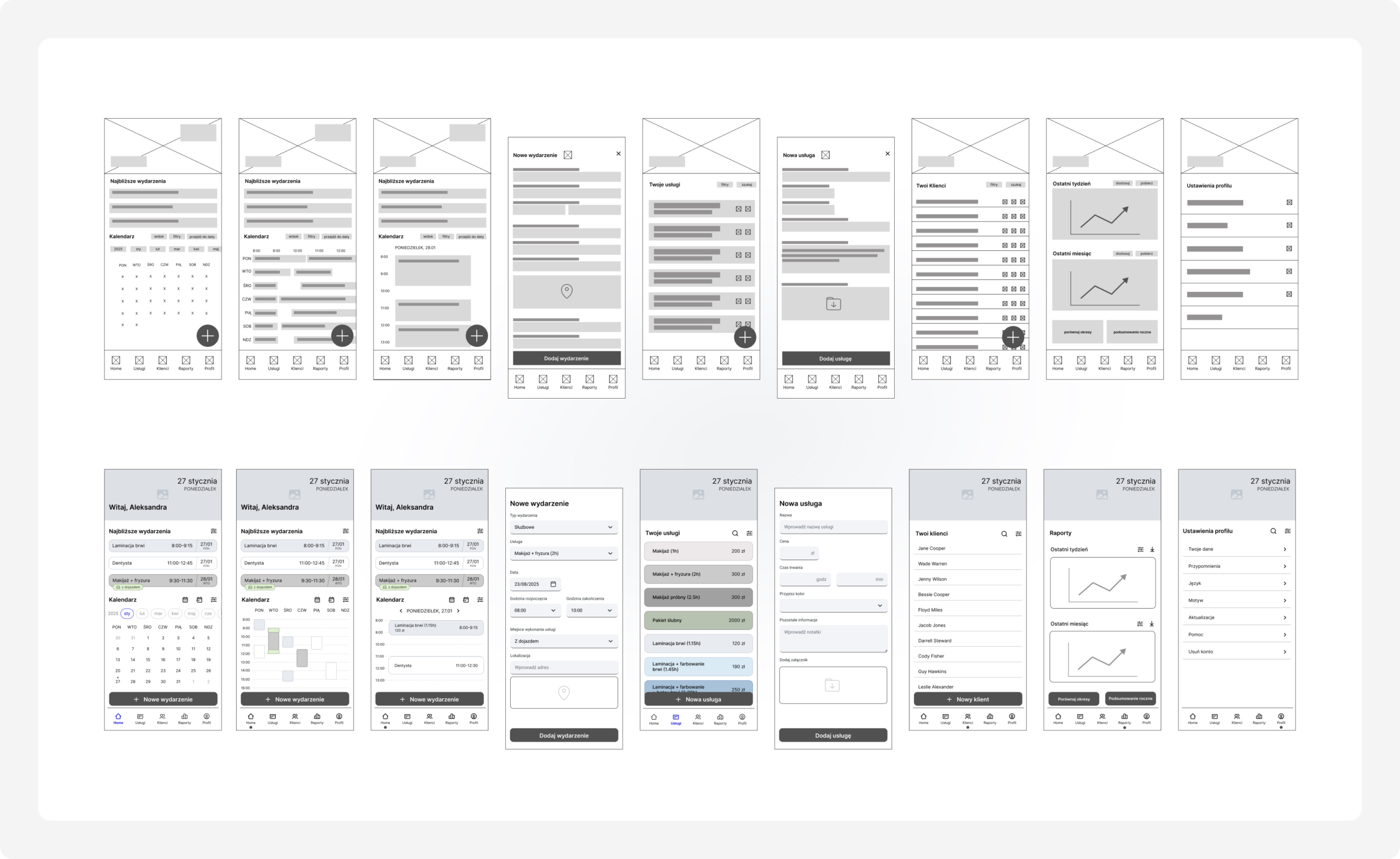
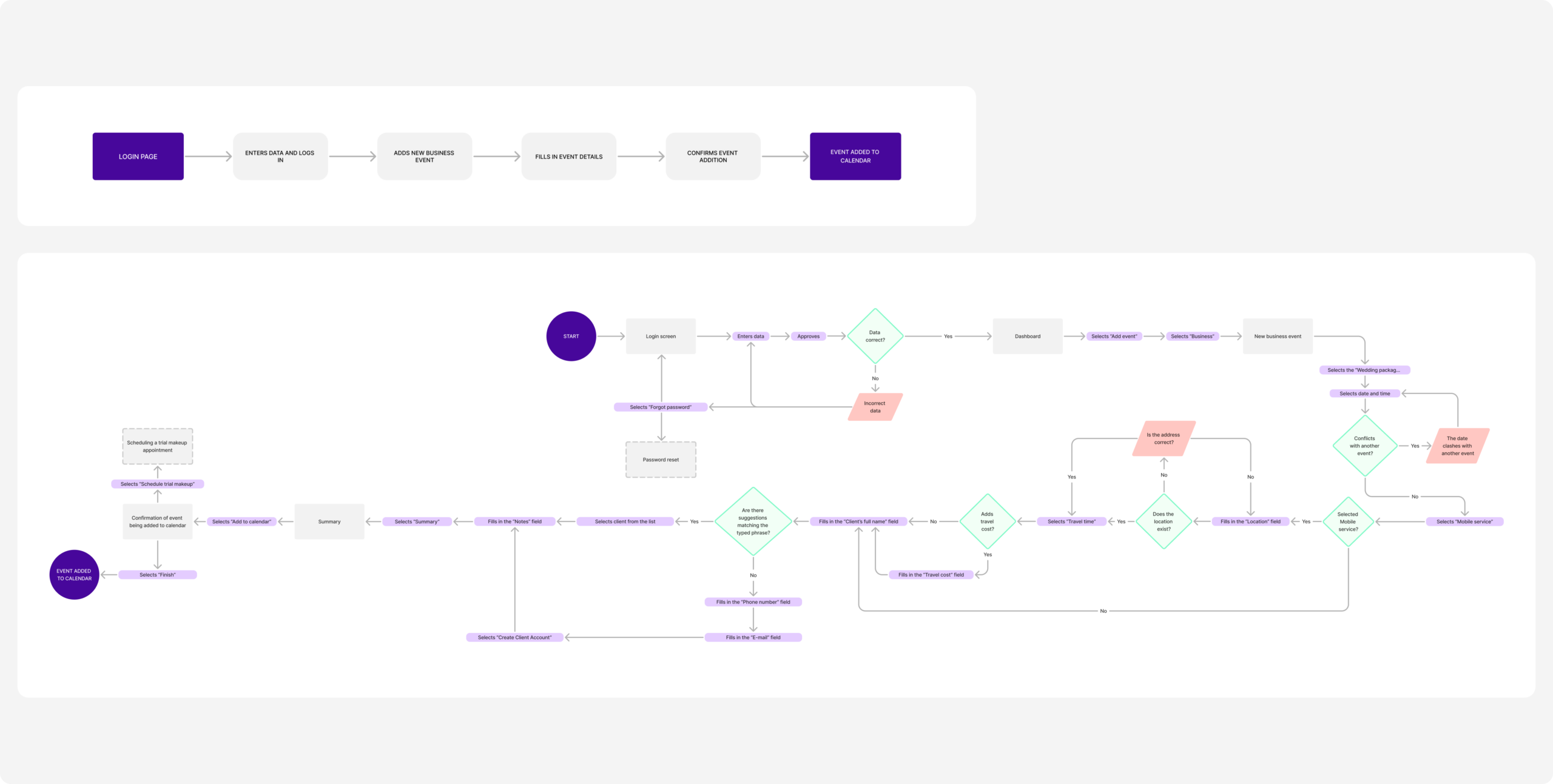
The information architecture, user flows, and wireframes were designed around three key tasks:
Creating appointments
Managing services
Organizing client information
4. Validation
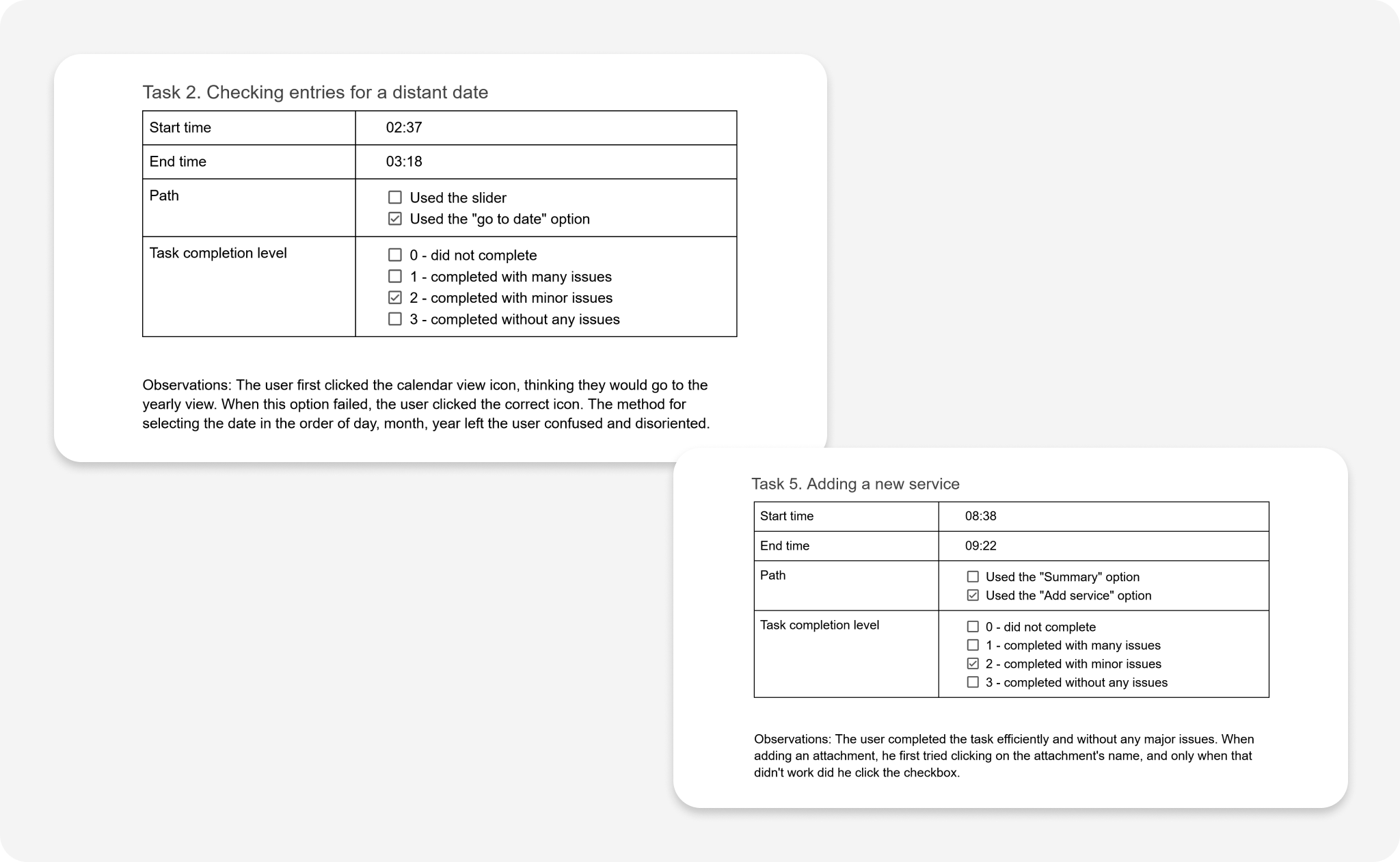
The concept was tested with two freelancers using an interactive mid-fidelity prototype.
Sample questions asked during usability testing:
A client calls you, asking about an available appointment on February 22, 2026. Please check your availability for that date.
You need to configure a new service, „Artistic Makeup,” with the following parameters: price – PLN 400, time – 3 hours, color – burgundy, recommendations (added in PDF format) – file named „recommendations_art.”How would you proceed?
A client already in your database has sent you a photo to inspire her next makeup look. Add it to the app so you can quickly find it later.Client name: Jenny Wilson, photo named „photo_1.”How would you proceed?
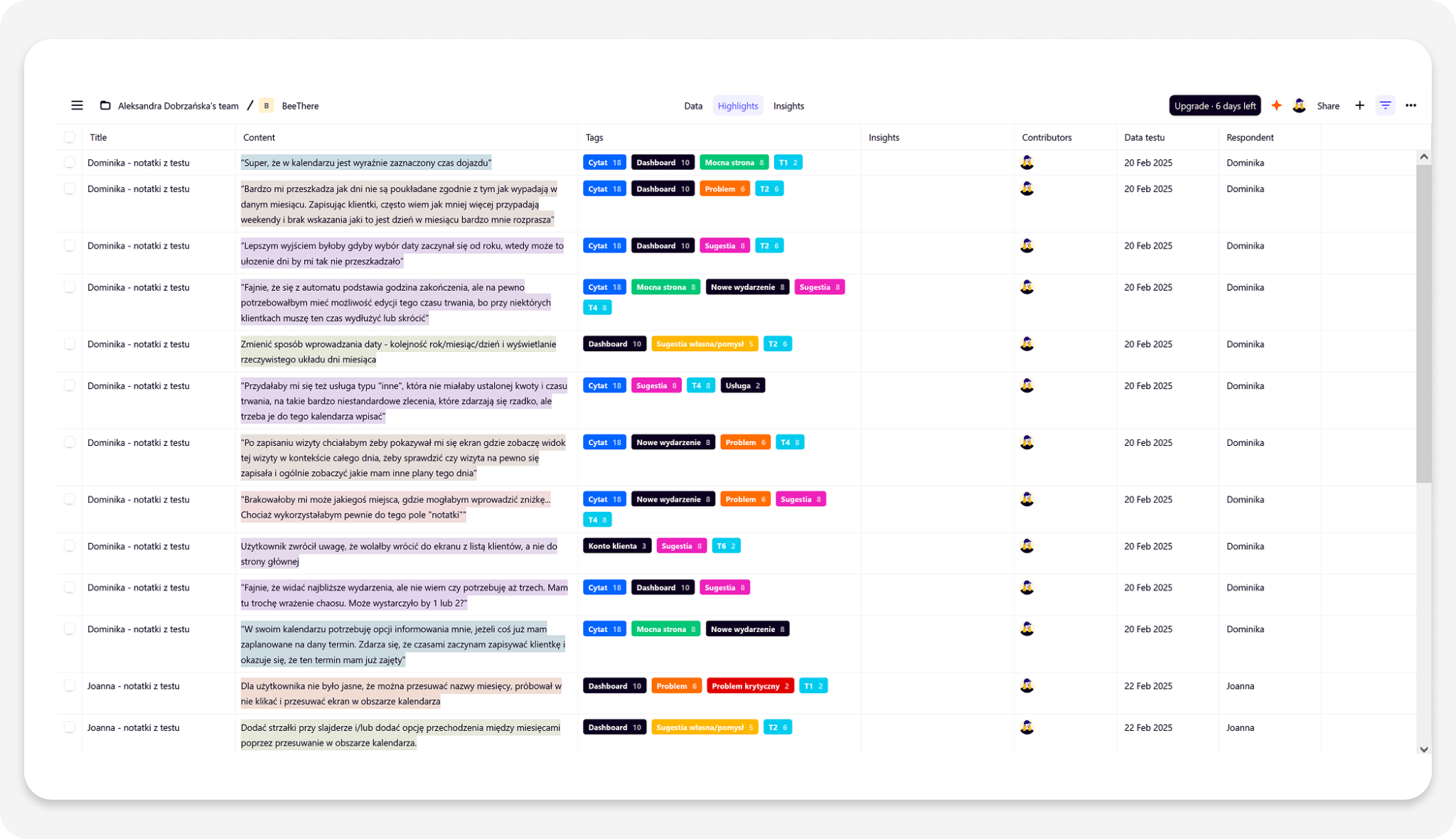
Testing identified several usability issues related to:
Navigation
Labels and icons
Date selection
Based on the findings, I refined the navigation patterns, simplified interactions, improved terminology, and redesigned the date picker before moving to the final interface.
5. Branding
Visual Identity
BeeThere is a work management app for busy professionals.
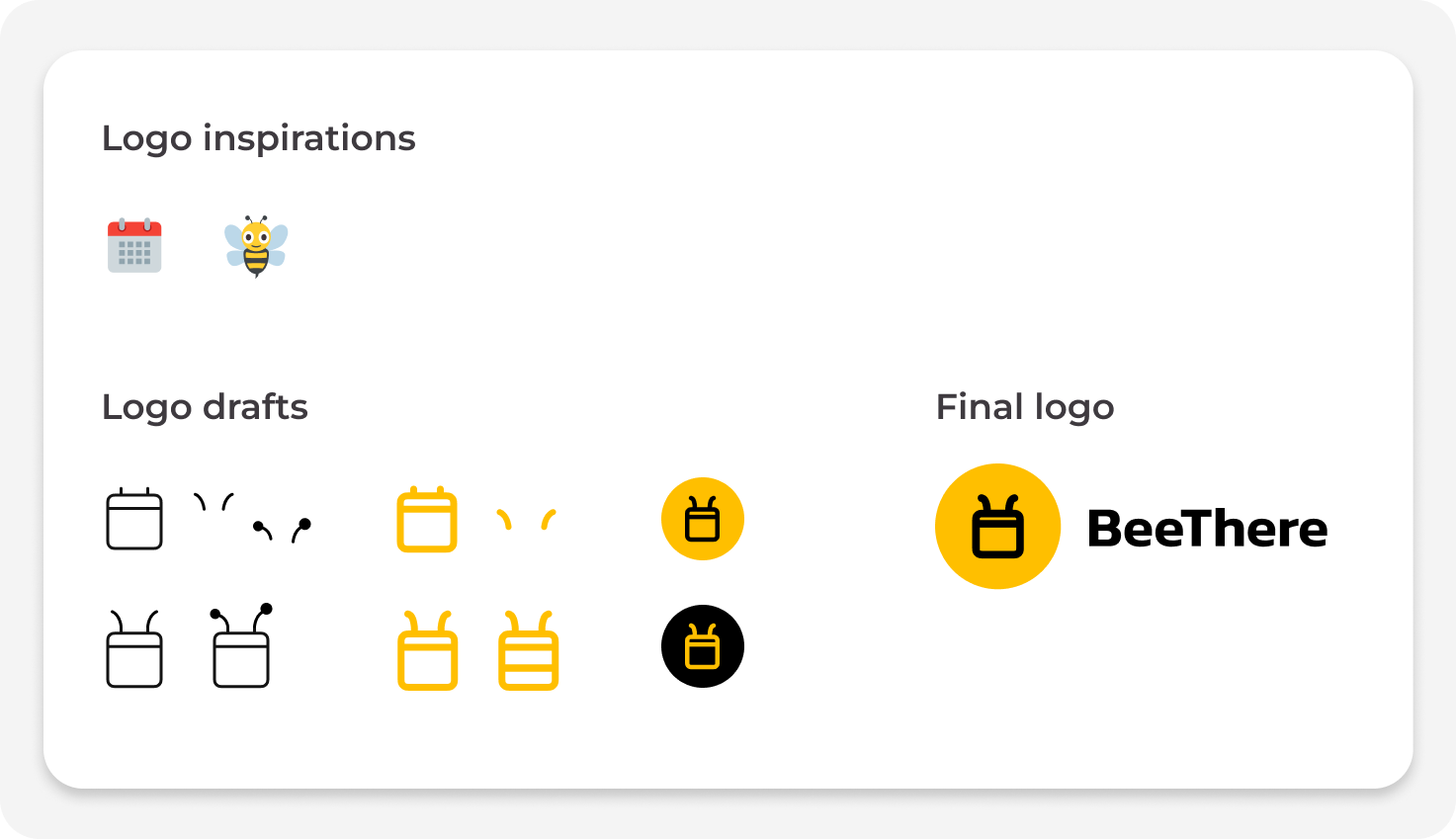
Its yellow-and-black palette and bee-inspired calendar logo reflect productivity and organization. The name plays on “bee” and “be there” – capturing the idea of freelancers being present wherever their work takes them.
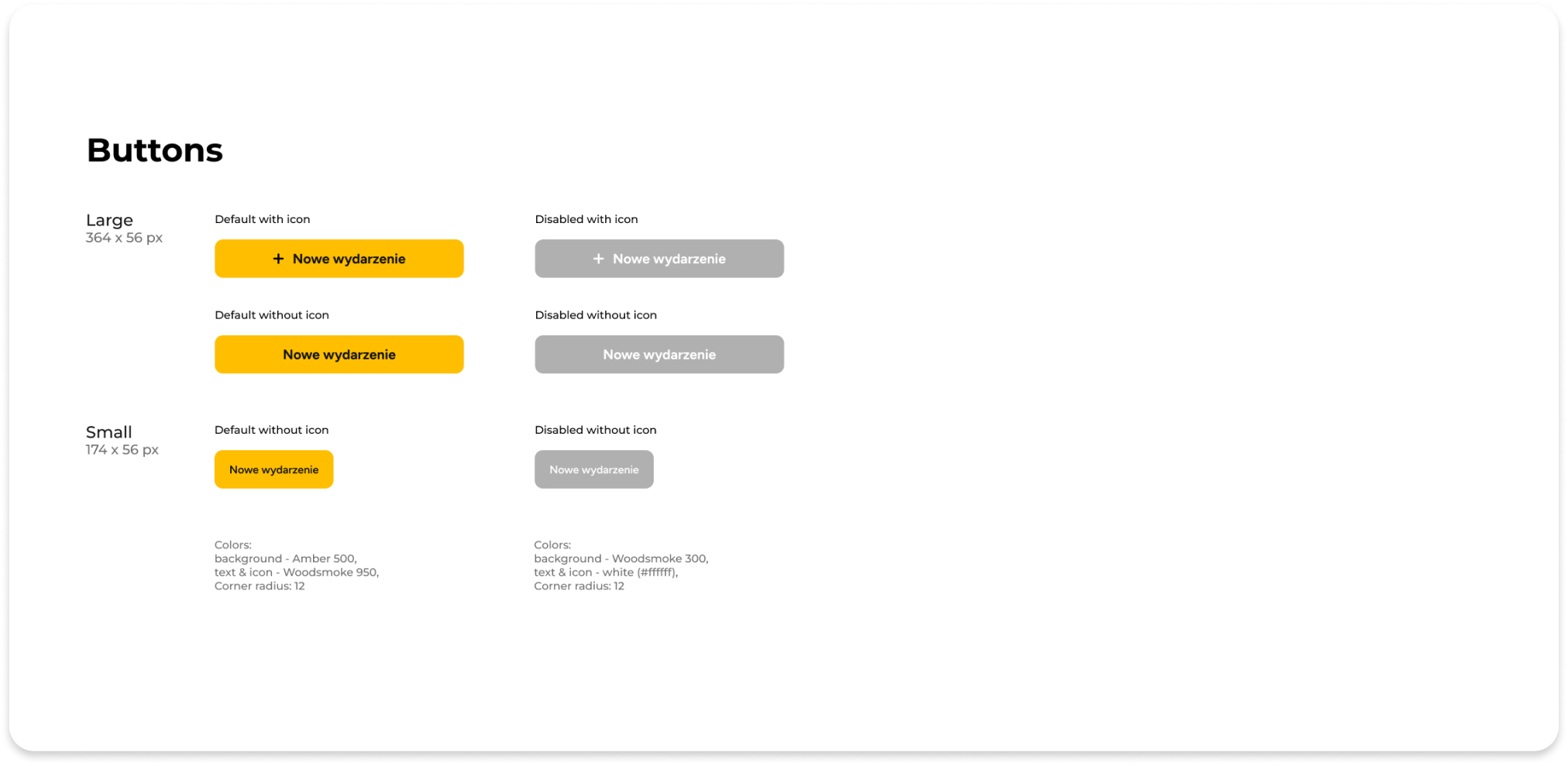
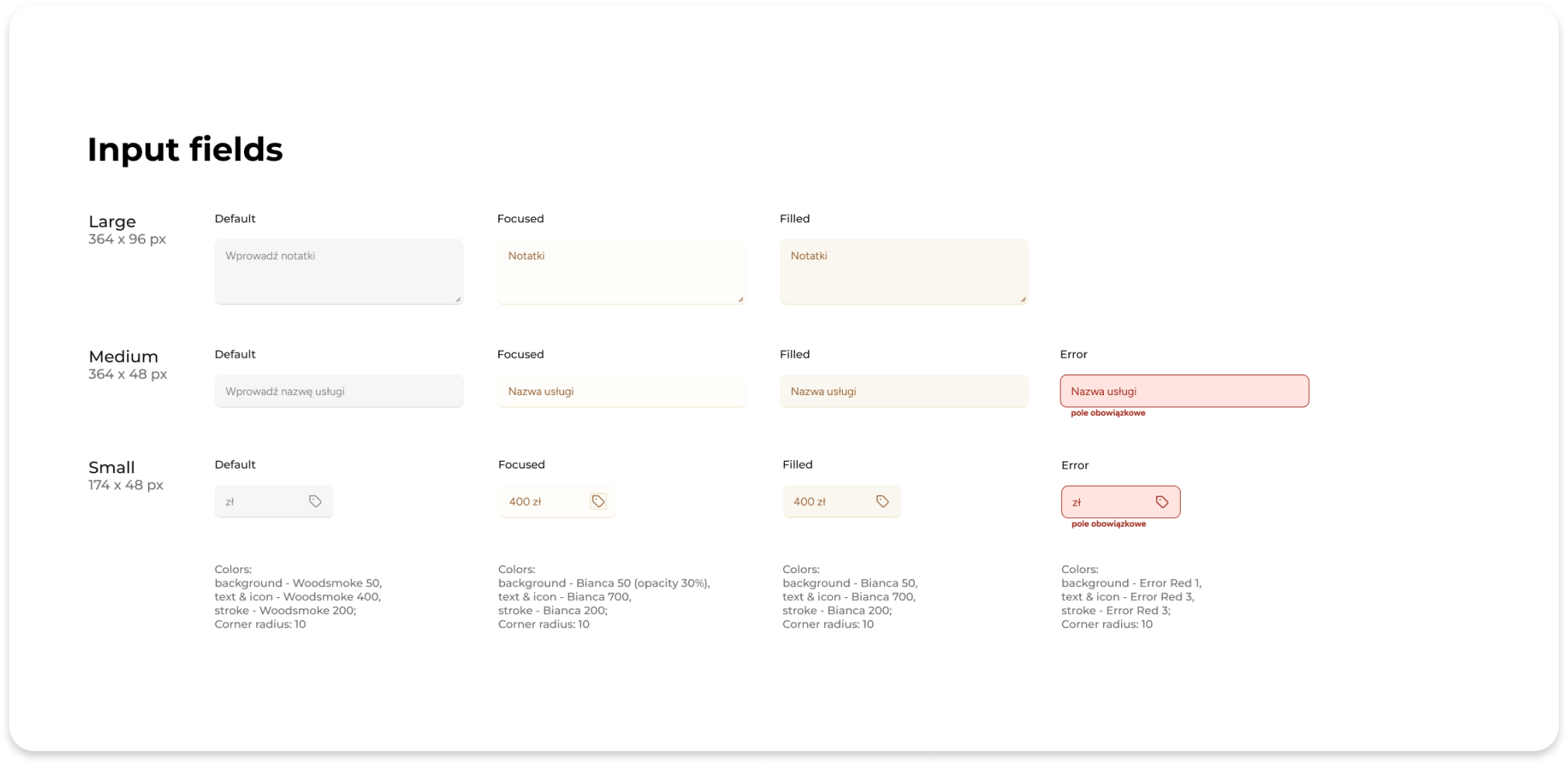
Style Guide
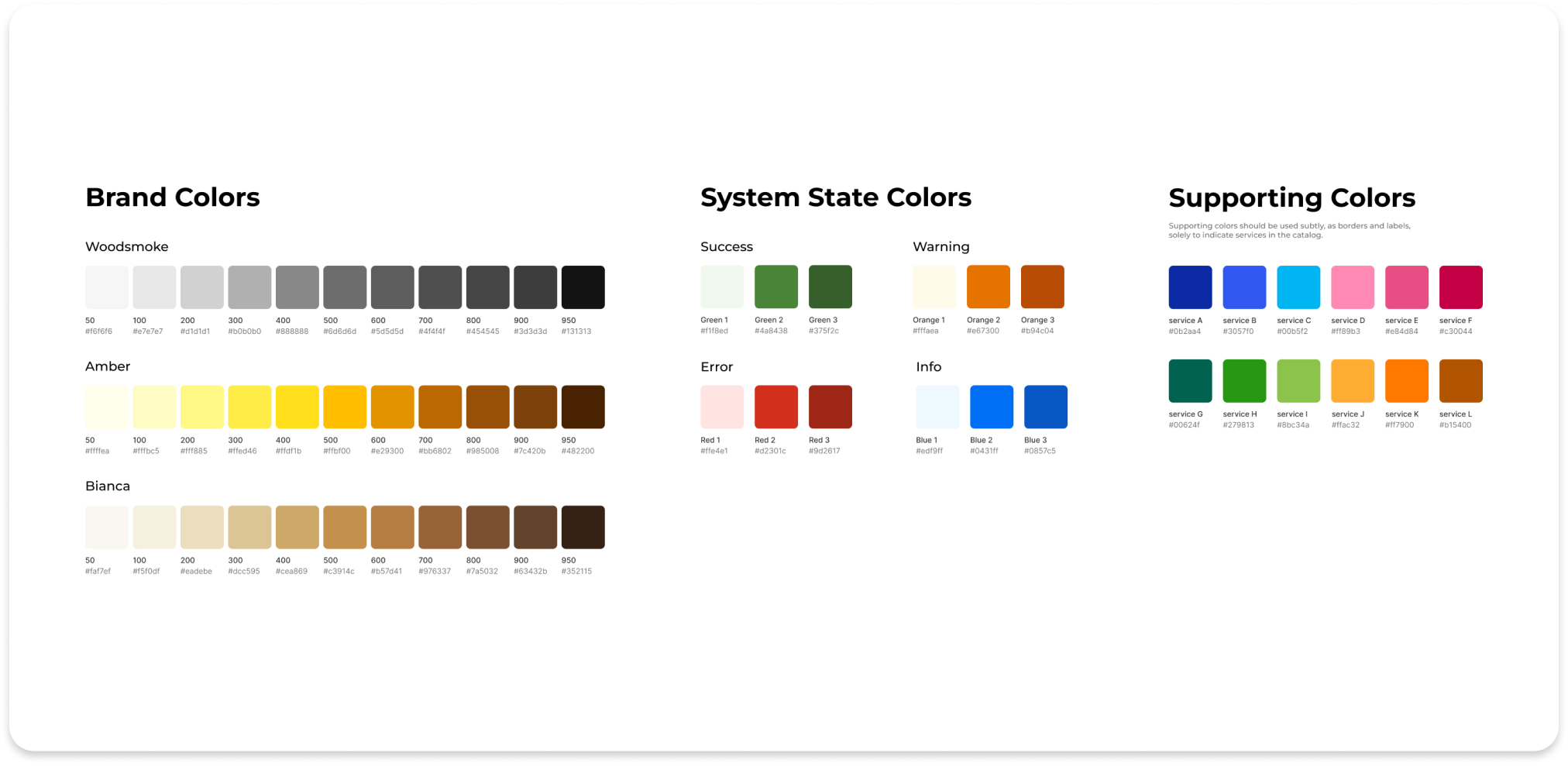
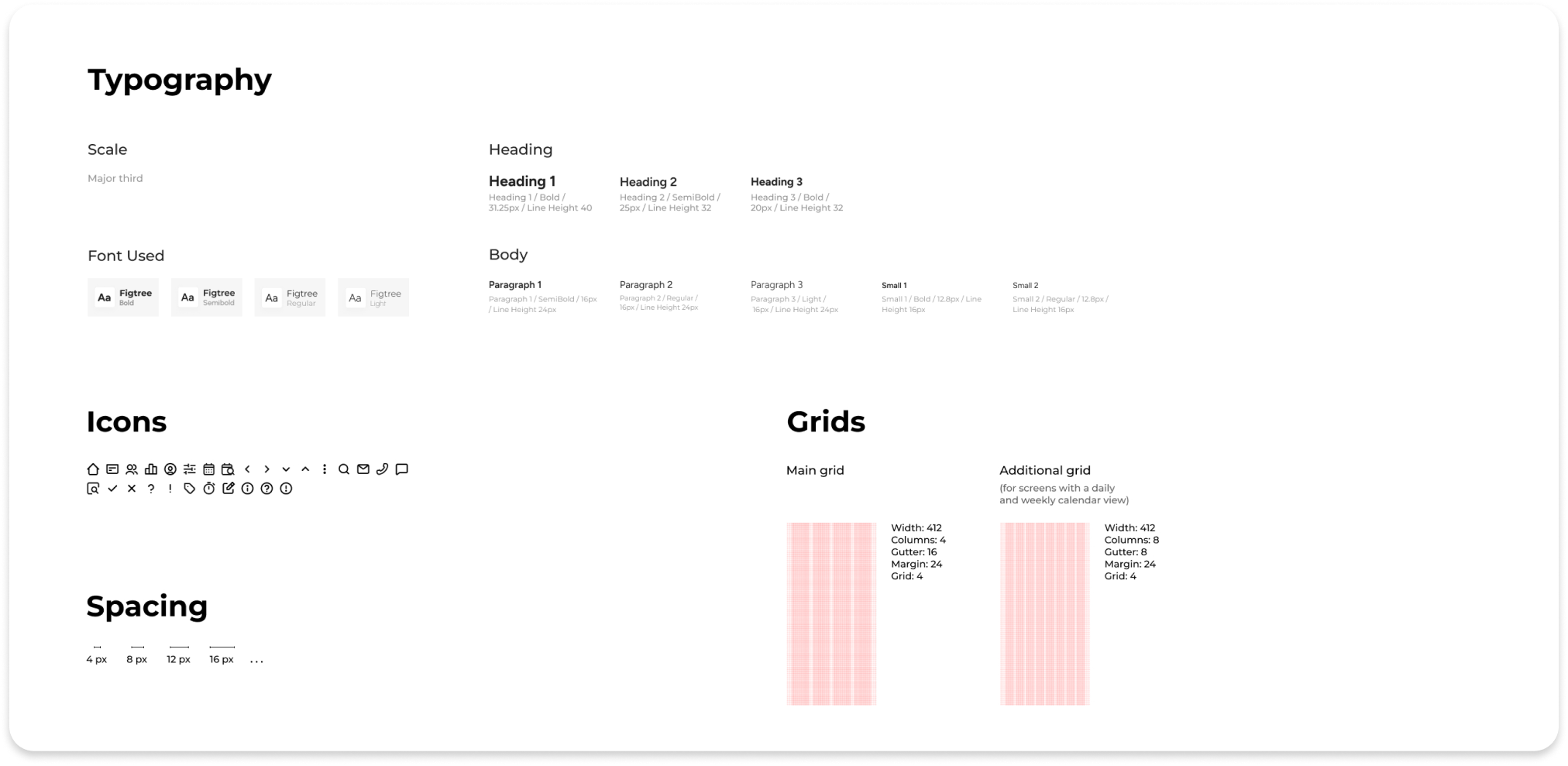
The style guide defines the key visual elements used to create a consistent and cohesive interface across the app.
6. Final Design
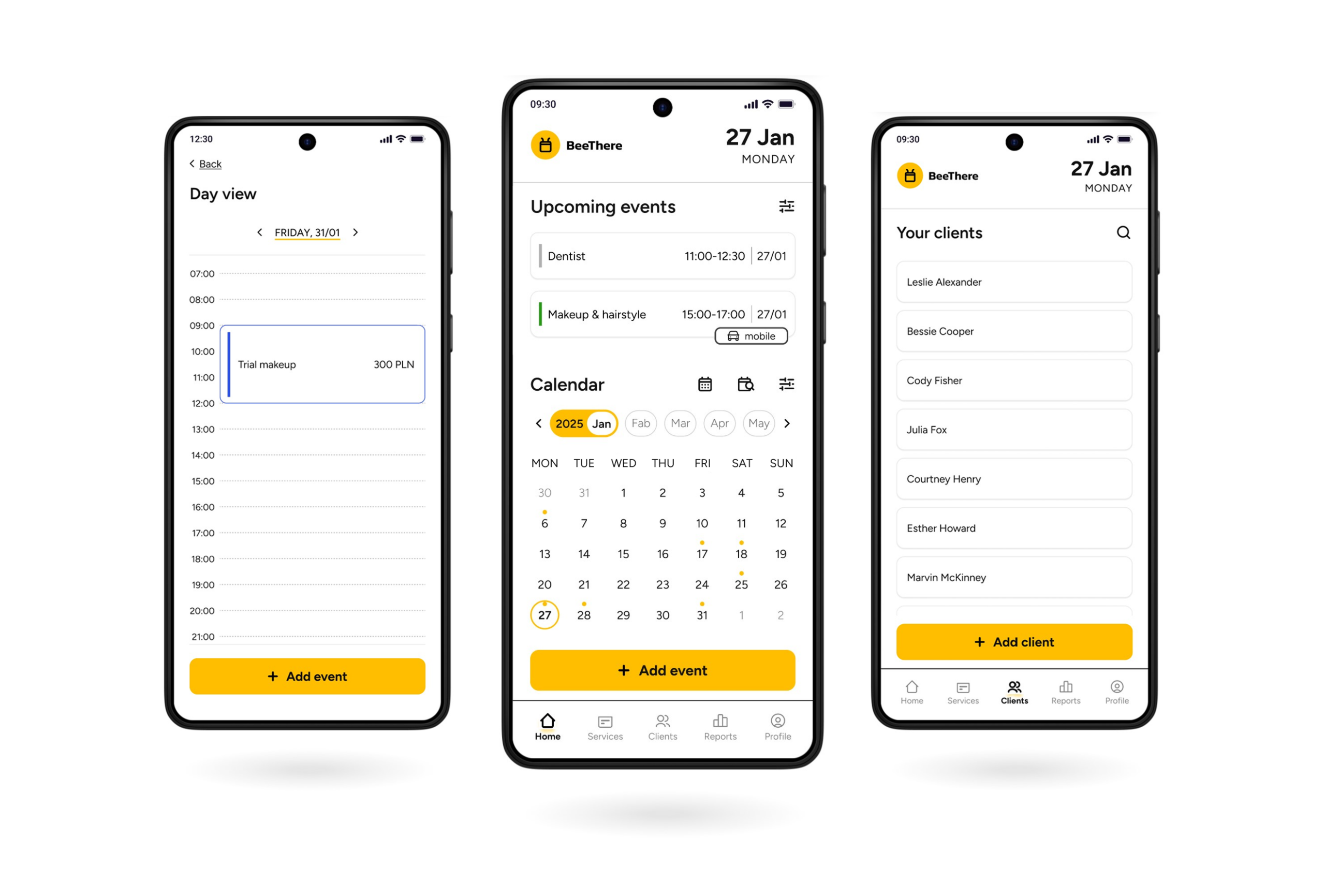
High-fidelity Prototypes
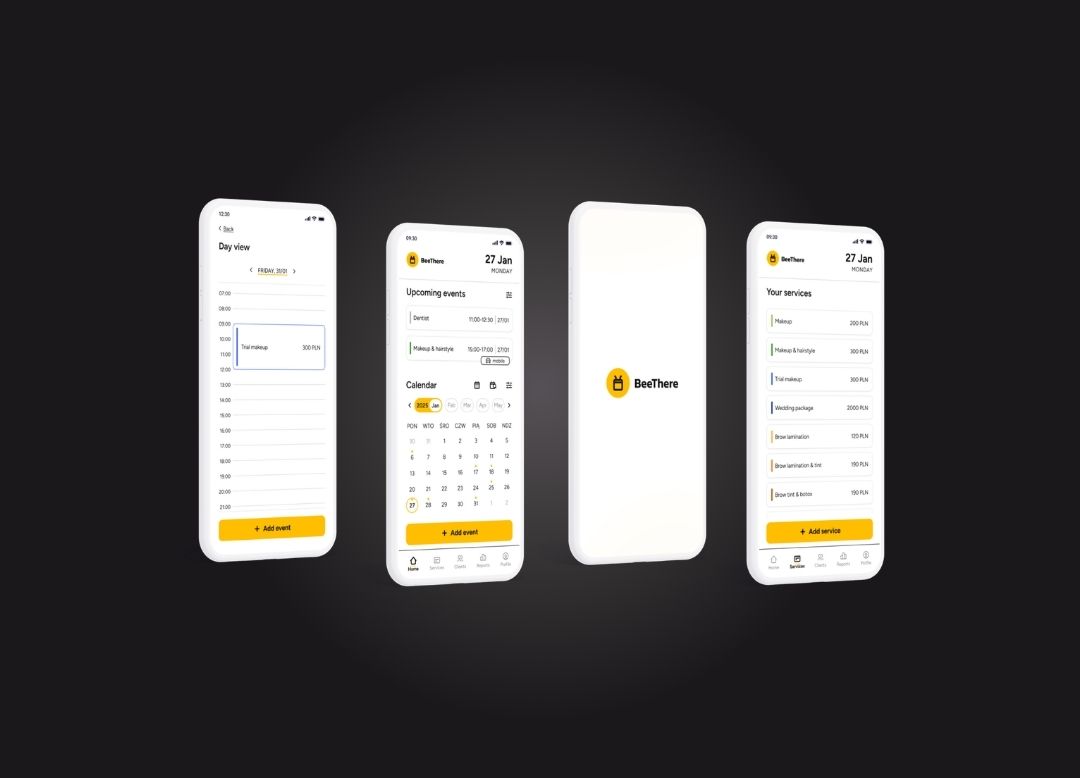
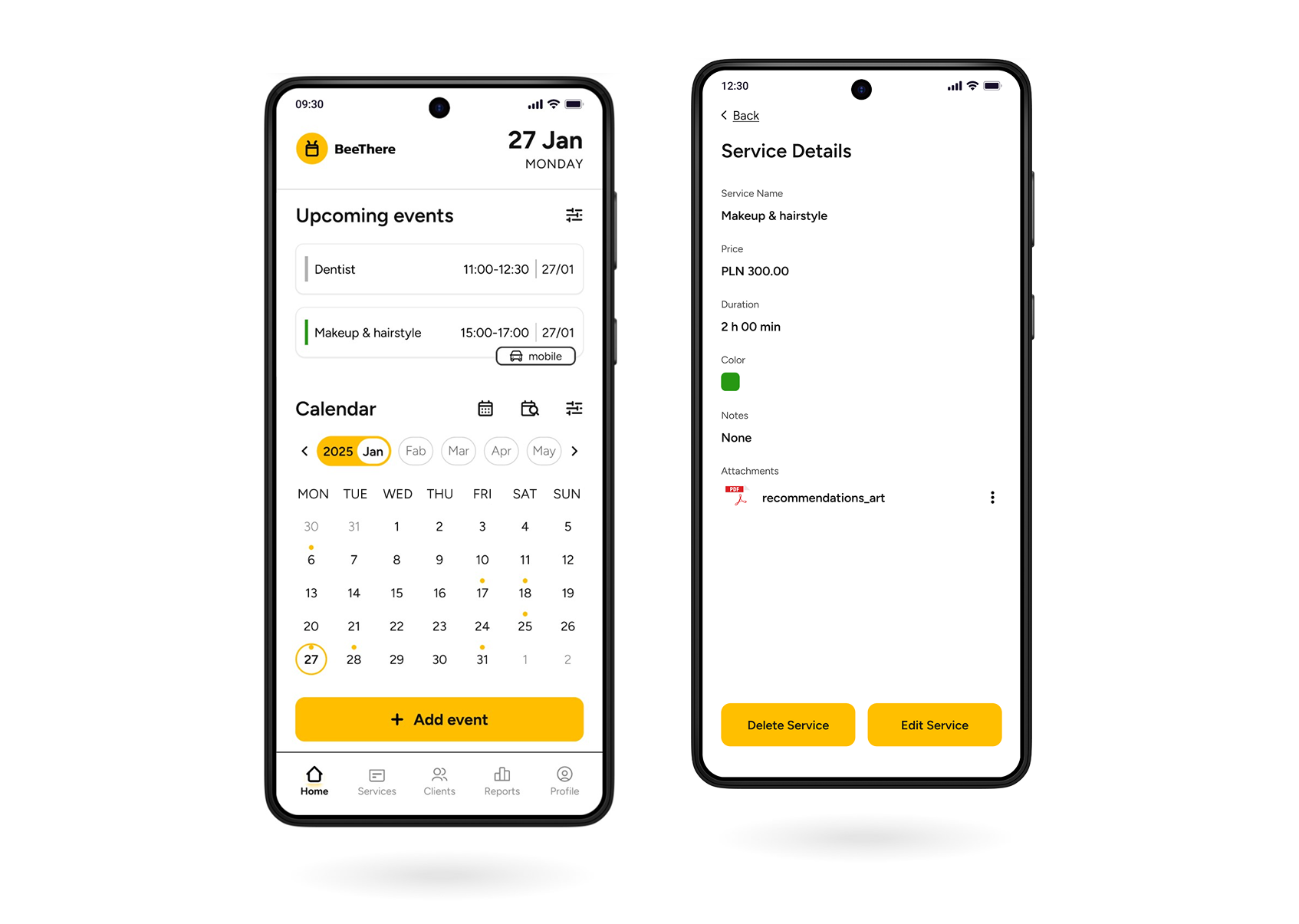
Given the text-heavy nature of the app, maintaining a minimalist design was a key project principle. Consistent backgrounds, thoughtful spacing, and removing unnecessary distractions helped ensure a clear and user-friendly interface.
Key Features
The app combines features designed to support freelancers in managing their everyday work.
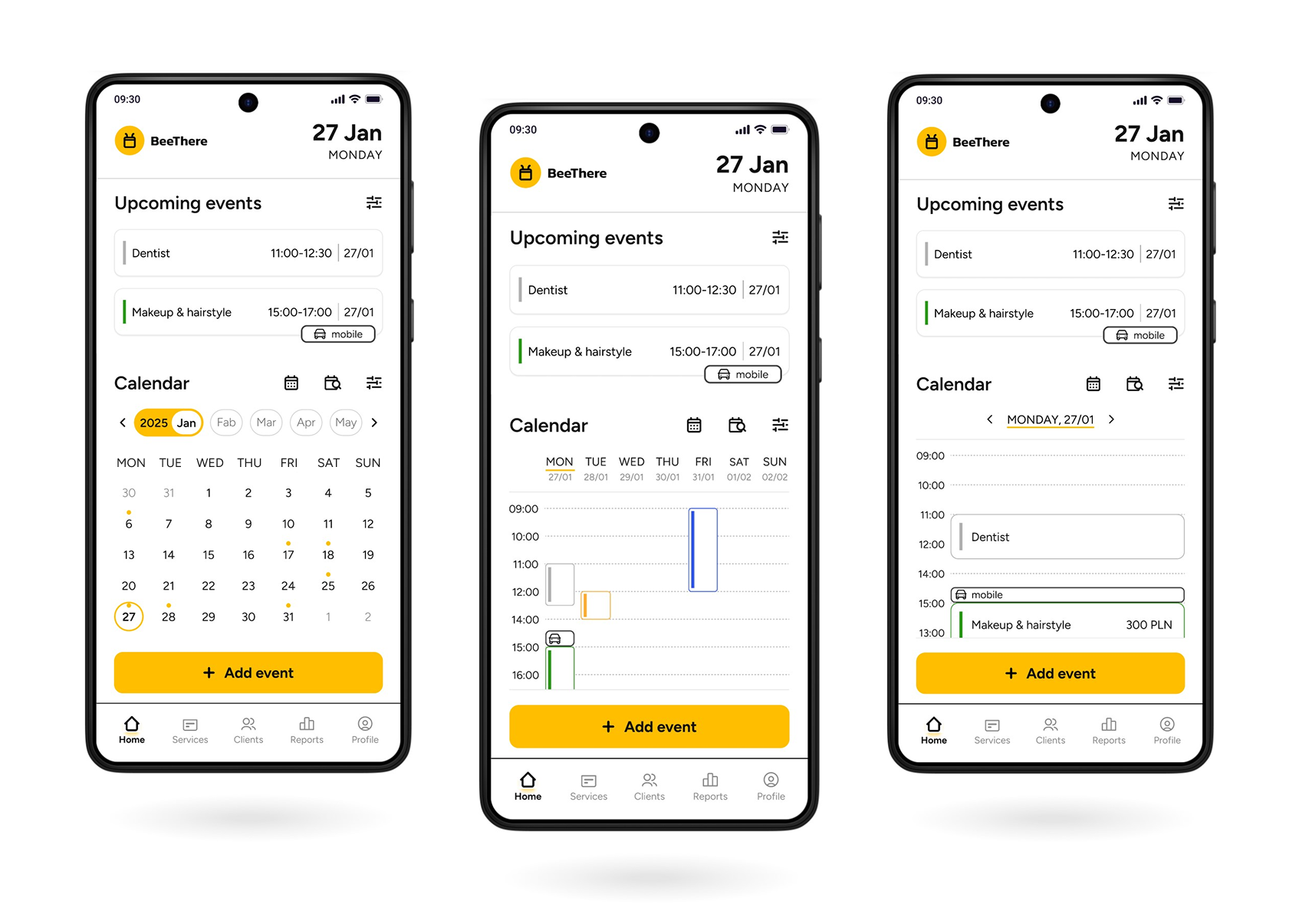
01. Three Calendar Views & Label "Mobile"
User benefits:
Quick switching between month, week, and day views
Immediate visibility of mobile appointments and travel requirements
Clear display of travel time in the week/day view
02. Color Coding
User benefits:
Clear distinction between personal events (marked in gray) and business appointments (color-coded by service)
Faster schedule scanning, and easier identification of different service types
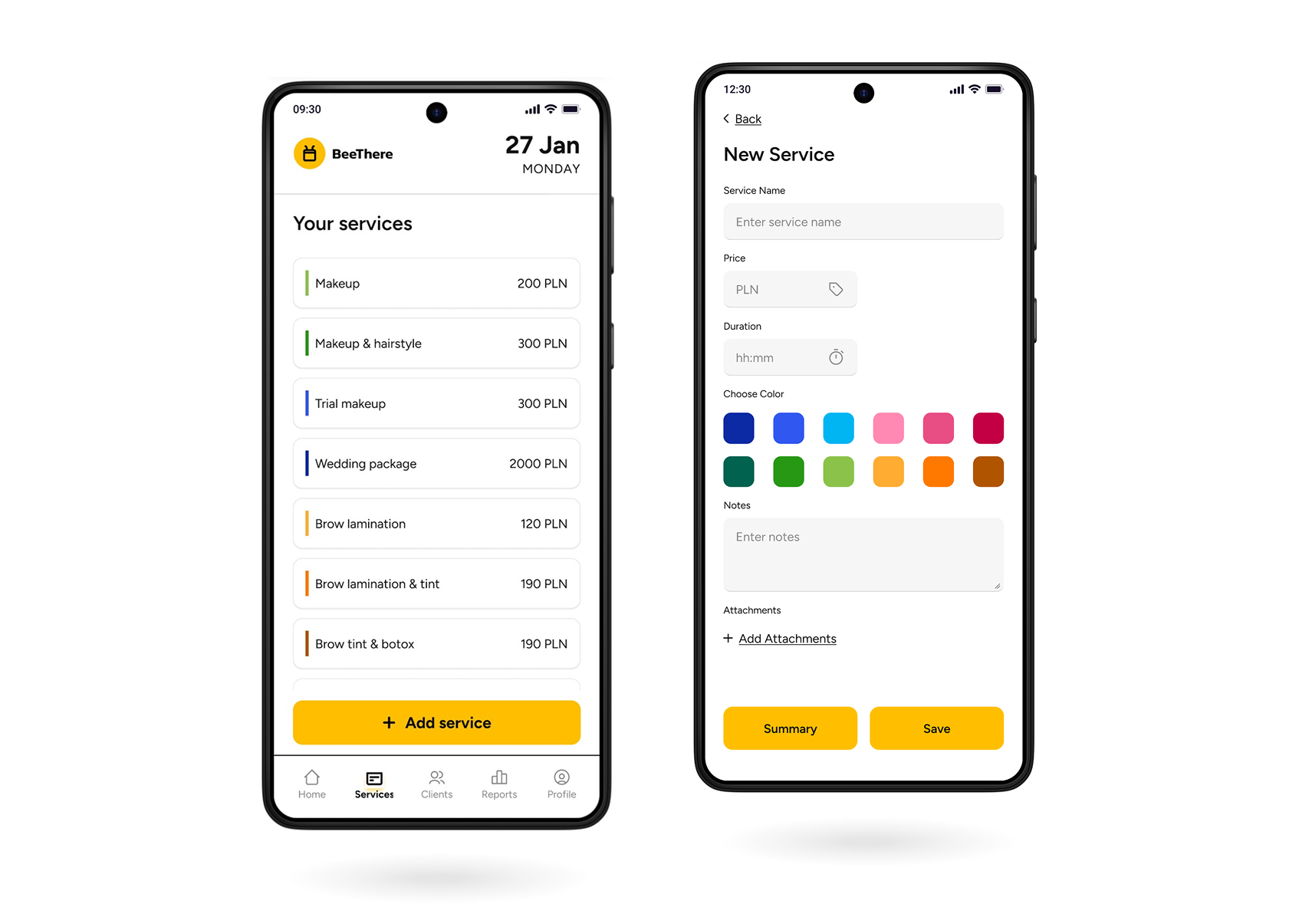
03. Service Catalog
User benefits:
Customizable services with colors (including color grouping), default duration, price, and attachments
Faster event creation with pre-filled details
Customizable business appointments (e.g., travel time and location)
Quick access to client information
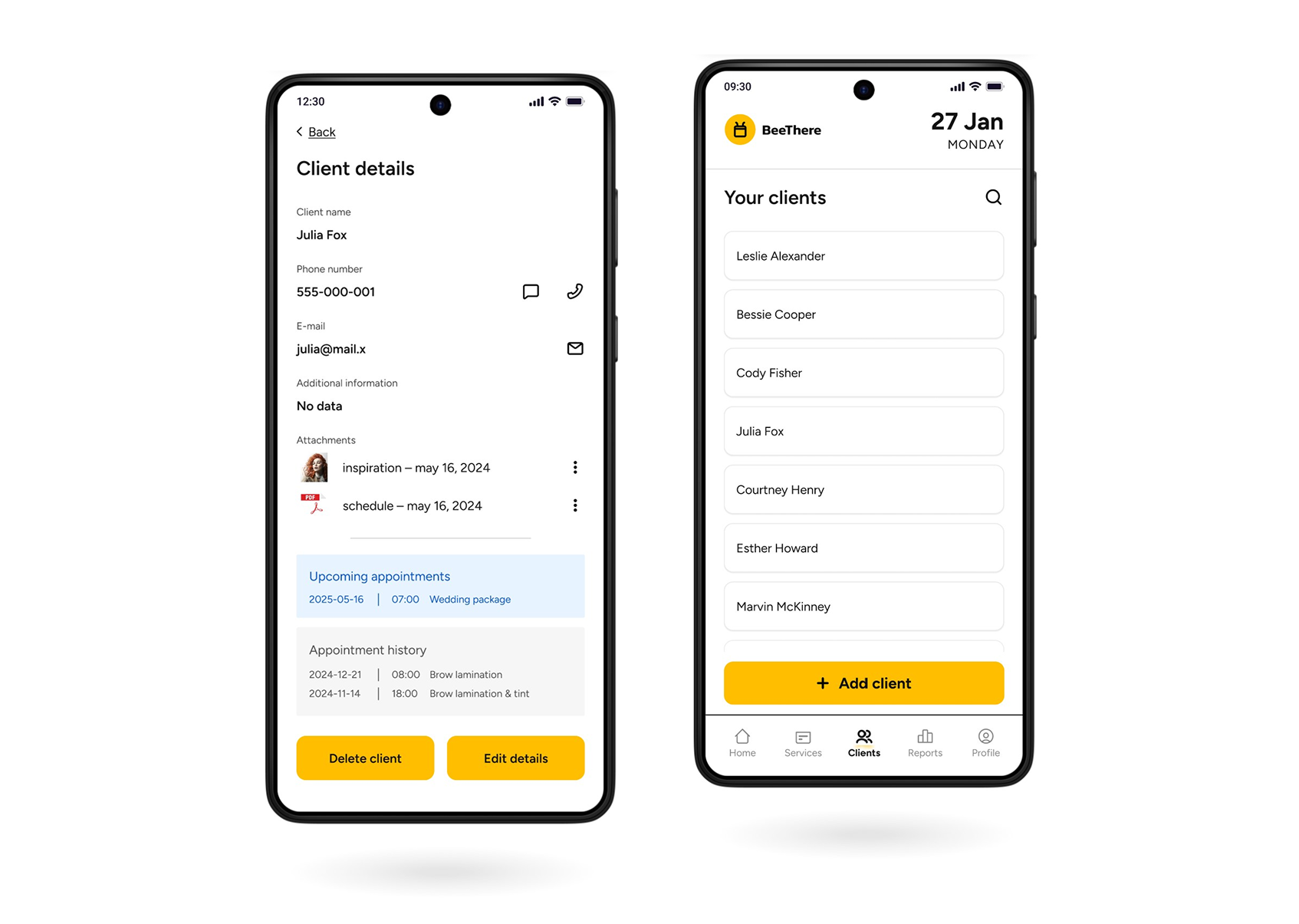
04. Client Database
User benefits:
All client information, attachments, and visit history in one place
Quick access to communication tools
7. Key Learnings
Designing for freelancers requires balancing diverse workflows and individual work habits within one product.
Research and usability testing help uncover gaps in existing workflows and validate whether proposed solutions address them.
A simple interface can still support complex, information-heavy workflows when information is structured thoughtfully.
8. Measuring Success
To evaluate the MVP’s performance, I would track user acquisition and demographics, engagement frequency, and which features provide the most value. These insights would highlight areas for improvement and guide future product iterations.
9. Next Steps
Analyze performance metrics and user feedback to determine which features need to be enhanced and which can be removed.
Conduct a second round of usability testing on the final high-fidelity design to measure performance improvements with a broader audience.
Explore advanced business management features, such as automated reporting and SMS appointment confirmations.